When choosing between Webflow and Duda for website building, the primary difference lies in control vs. simplicity. Webflow offers granular design control and advanced customization, ideal for professionals familiar with web design principles. Duda, on the other hand, prioritizes ease of use and faster site deployment, catering to agencies and non-technical users.
Key Takeaways:
- Webflow: Best for those seeking full control over design and advanced coding flexibility. It requires a steeper learning curve but enables highly tailored designs.
- Duda: Designed for speed and simplicity, with drag-and-drop tools and pre-built templates. It’s perfect for agencies managing multiple sites efficiently.
Quick Comparison:
| Feature | Webflow | Duda |
|---|---|---|
| Design Approach | Visual development with CSS/HTML logic | Drag-and-drop editor |
| Learning Curve | Steep; requires design knowledge | Low; beginner-friendly |
| Template Cost | $20–$120+ (mostly paid) | Included with subscription |
| Code Access | Full control with export options | Limited; basic customizations |
| CMS Features | Advanced, flexible content structures | Simplified, efficient for quick edits |
| Pricing | Starts at $14/month | Starts at $19/month |
Both platforms excel in their niches: Webflow for highly customized projects and Duda for quick, scalable solutions. Your choice depends on whether you prioritize design precision or speed and simplicity.
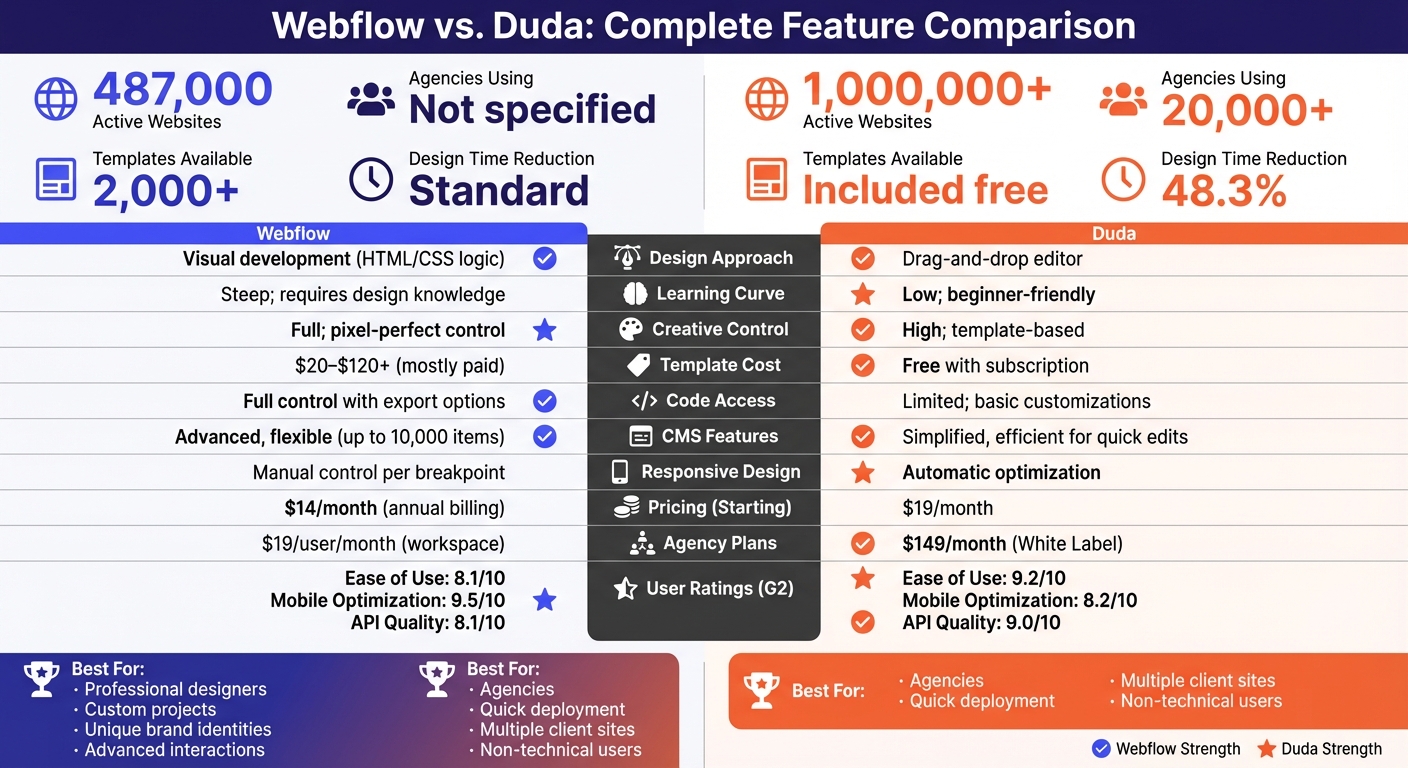
Webflow vs Duda Feature Comparison Chart
9 BEST No Code Website Builders to Choose in 2025
sbb-itb-94eacf4
Design Flexibility and Creative Control
Webflow gives you precise, pixel-perfect control, while Duda focuses on efficiency and speed with pre-built components.
Webflow: Complete Design Control
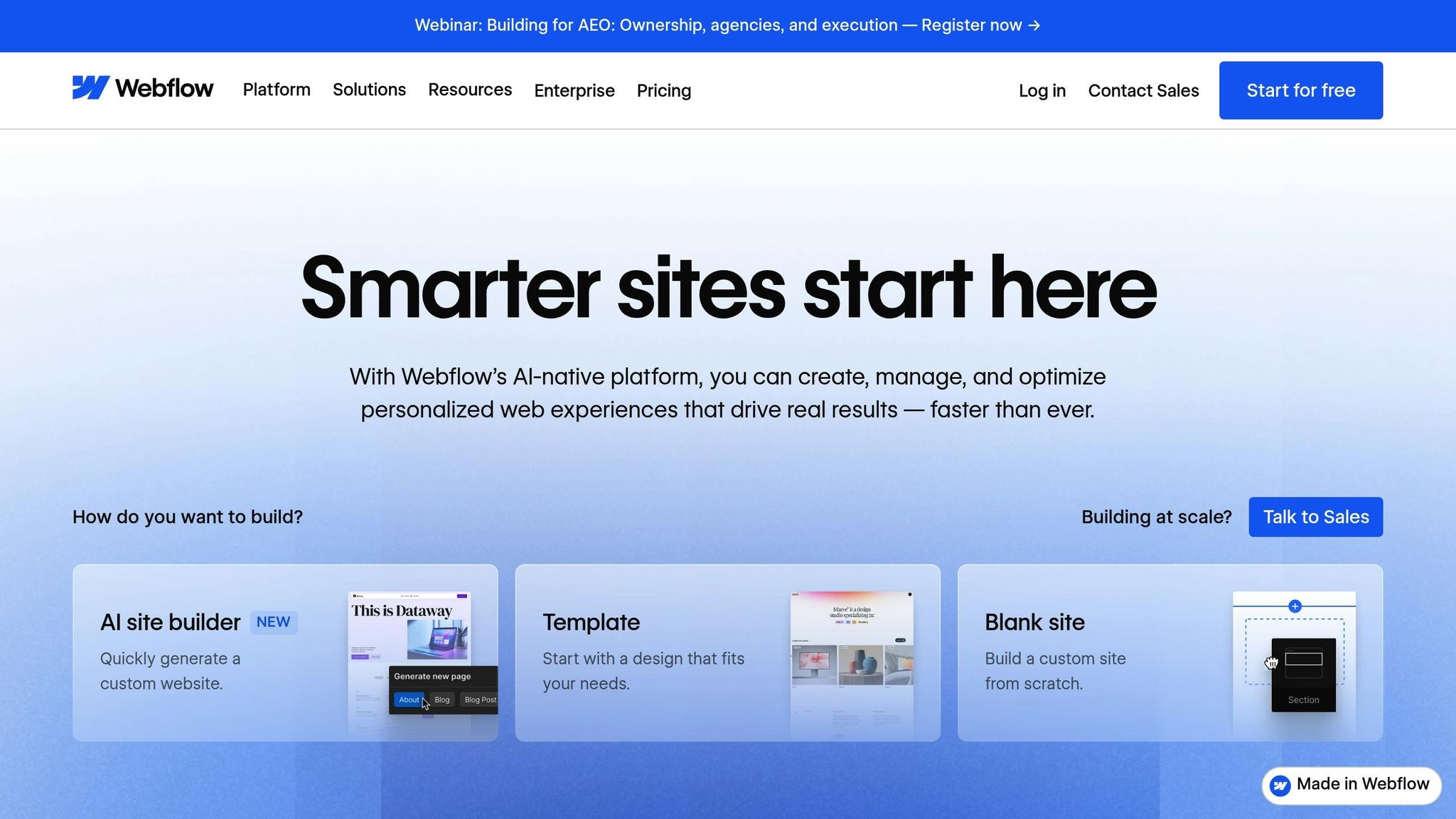
Webflow functions like a visual front-end development tool, letting you work with HTML, CSS, and JavaScript concepts - without needing to write code. This setup allows for custom animations, intricate interactions, and layouts tailored to your vision.
"Webflow's visual editor lets you design with the precision of code without actually writing it, uniting design precision with developer power." – Editorial Team, Dorik
Its interface resembles professional design software, offering precise control over spacing, typography, and responsiveness. You can even create complex animations triggered by user actions, all without coding. This level of customization is perfect for crafting unique brand identities and polished designs. However, the trade-off is a steep learning curve, so understanding web design principles is essential to make the most of it.
On the other hand, Duda simplifies the process with a more structured, drag-and-drop workflow.
Duda: Simple Drag-and-Drop Design Tools
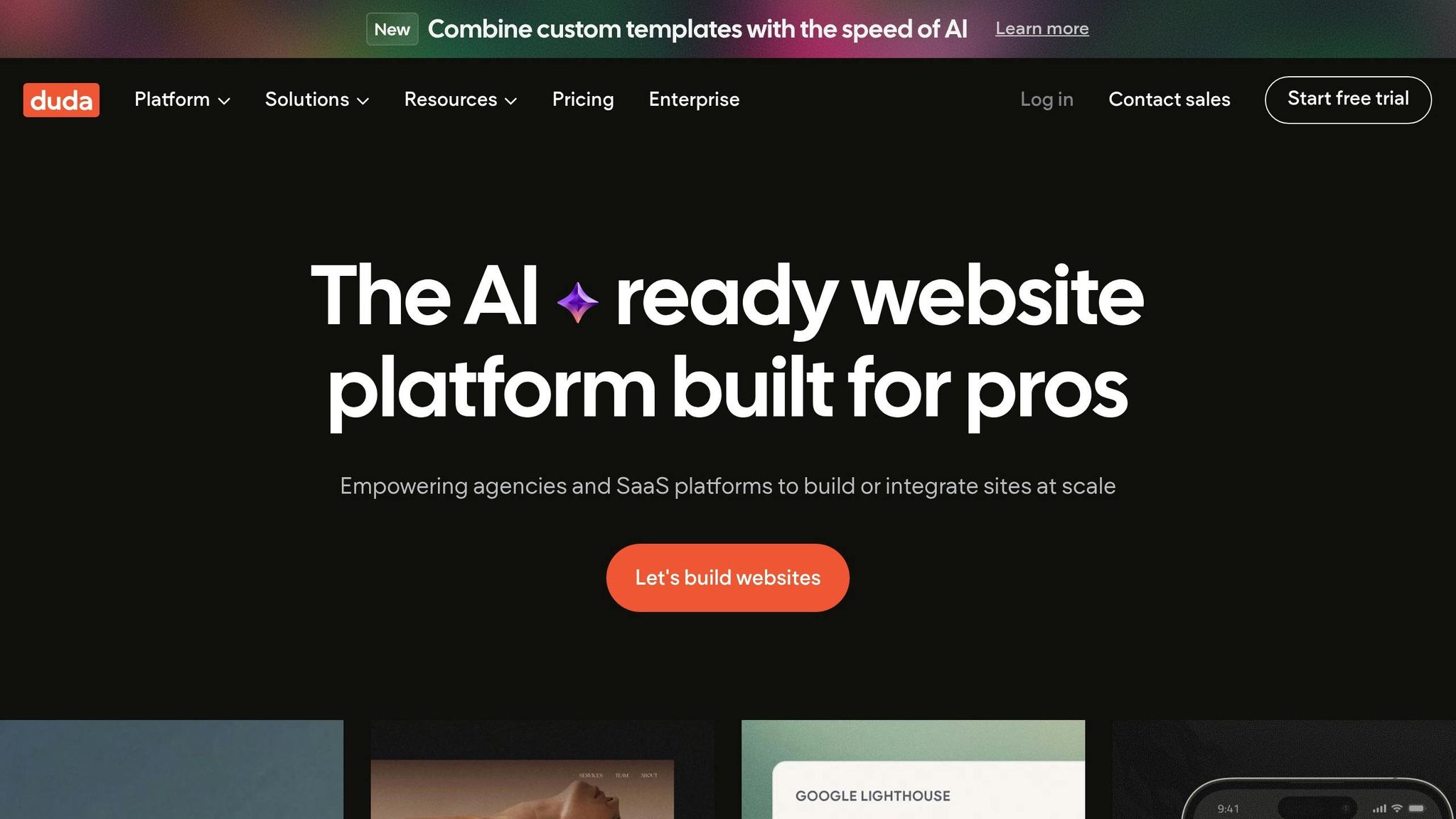
Duda’s drag-and-drop editor uses pre-designed sections and widgets, making it easy to build modern, professional-looking websites quickly - even if you’re not tech-savvy. For developers, its Widget Builder adds flexibility by enabling custom functionality through HTML, CSS, and JavaScript when needed.
"Building and maintaining websites with Duda is intuitive and quick with a drag-and-drop interface. Designed for non-technical users." – Duda
This method is a major time-saver - Duda reports a 48.3% reduction in website design time compared to traditional methods. However, the trade-off is less customization. The template-based system can limit your ability to create highly original or complex designs that break away from typical web layouts.
| Feature | Webflow | Duda |
|---|---|---|
| Design Approach | Visual development (HTML/CSS logic) | Drag-and-drop editor |
| Creative Control | Full; start from scratch | High; template and section-based |
| Learning Curve | Steep; requires design/code knowledge | Low; beginner-friendly |
| Animations | Advanced custom interactions | Basic pre-set animations |
Template Customization and Layout Options
Now that we've explored the differences in design control, let's dive into how Webflow and Duda handle template customization and layout options. Webflow's marketplace boasts over 2,000 templates, most priced between $20 and $120+. These templates act as flexible starting points that users can completely rework. On the other hand, Duda includes most templates free with your subscription, prioritizing speed and simplicity over deep customization. These contrasting approaches directly influence the level of creative freedom each platform offers.
Webflow: Build Layouts from Scratch
Webflow treats templates as optional tools. Users can start with a blank canvas and create every element from scratch, utilizing essential tools for website creation offering unmatched control over a site's structure. Its visual interface replicates CSS styling, enabling precise adjustments to element positioning, spacing, and layout - all without needing to write code.
"Webflow gives you full design freedom. You can control every part of the layout using a visual interface that mirrors CSS styling. You're not locked into templates." – Jesus Vargas, Founder, LowCode Agency
This level of flexibility is ideal for creating one-of-a-kind brand identities or layouts that go beyond what standard templates can achieve. However, Webflow's interface feels similar to professional website builders like Adobe Photoshop, making it more intuitive for experienced designers than for general business users. As of late 2025, Webflow powers over 3.5 million websites, many showcasing highly customized designs.
While Webflow caters to users aiming for fully personalized builds, Duda focuses on pre-built solutions for faster project turnaround.
Duda: Pre-Built Templates for Fast Setup
Duda's templates are crafted for quick deployment. Users can instantly add predesigned sections, while the Custom Sections Dashboard allows teams to save and reuse sections across projects, streamlining future builds.
Duda also offers a Template Reset feature, which lets agencies experiment with multiple design options or quickly refresh layouts by syncing with a Content Library. Trusted by over 20,000 agencies and powering more than 1,000,000 active websites, Duda emphasizes scalability and efficiency. While templates can be customized using drag-and-drop tools, the framework limits how much users can deviate from conventional web layouts. These differences highlight the distinct customization philosophies of the two platforms.
| Feature | Webflow | Duda |
|---|---|---|
| Template Cost | $20–$120+ (mostly paid) | Free with subscription |
| Layout Approach | Blank canvas or customizable | Template-based with sections |
| Customization Depth | Full pixel-level control | Flexible within pre-defined structures |
| Best For | Unique designs, bespoke branding | Quick setup, agency workflows |
Responsive Design and Mobile Optimization
Once you've customized a template, it's crucial to assess how each platform handles responsive design. Webflow gives you complete control over every breakpoint, allowing you to fine-tune layouts for desktop, tablet, and mobile screens individually. This level of precision is great for designers aiming for pixel-perfect results but comes with a tradeoff - it takes more time and requires a solid understanding of technical concepts. On the other hand, Duda automatically optimizes templates for all devices, ensuring professional-looking sites across different screen sizes with minimal effort.
The learning curve and effort required differ significantly between the two platforms. With Webflow, users need to grasp CSS fundamentals like flexbox and the box model to manage responsive layouts effectively. It also lets you toggle element visibility by screen size, enabling device-specific designs that can vary between desktop and mobile views. Meanwhile, Duda simplifies this process by automating most adjustments, though you still have the option to preview and manually tweak mobile views if necessary. According to G2, Duda scores 9.2/10 for Ease of Use, compared to Webflow's 8.1/10.
"Webflow gives full control over responsive design... but it requires manual setup for responsiveness. It's great for designers who want precision and are okay spending time to perfect each screen layout." – Jesus Vargas, Founder, LowCode Agency
This manual control in Webflow offers creative freedom but also influences performance outcomes. Performance metrics highlight key differences between the two. Duda leads in Google's Core Web Vitals Technology Report and ranks highest in Page Speed scores. Features like built-in image optimization and global CDNs enhance mobile performance. Meanwhile, Webflow earned a 9.5/10 rating for mobile optimization on TrustRadius, compared to Duda's 8.2/10. However, Webflow users must invest more time in manual optimizations to achieve these results, whereas Duda handles most of it automatically.
If you're looking to craft a mobile experience that's distinctly different from your desktop version - perhaps with custom animations or unique grid layouts - Webflow is the better choice. But if speed and simplicity are your priorities, especially for deploying multiple mobile-optimized sites without the hassle of testing every breakpoint, Duda is the way to go. Pricing reflects these capabilities: Webflow's detailed customization starts at $14 per month (billed annually), while Duda’s streamlined approach begins at $19 per month.
Code-Level Customization and Advanced Features
Webflow: Developer-Friendly Features
Webflow serves as a visual front-end development tool, converting every design decision into clean, W3C-compliant HTML5, CSS3, and JavaScript. Beyond that, it allows developers to add custom code at various levels - site-wide, specific pages, or even individual sections - using an embed component. Its "Custom Element" tool also enables the insertion of any HTML tag or custom attribute, giving developers full control over HTML within the visual interface.
One standout feature is Webflow's code export capability. On select plans, users can download their site's HTML, CSS, and images in a ZIP file for external hosting. Additionally, Webflow provides a powerful REST API, making it a great choice for managing CMS items in complex, data-driven projects. However, taking full advantage of these tools requires a solid grasp of web design principles, including the box model and CSS hierarchy.
"Webflow translates every design choice you make into clean, standards-compliant code. So you're not just designing or prototyping your website - you're building it." – Webflow
These advanced features blend precise design capabilities with developer-level control, making Webflow a strong option for intricate customization needs. Now, let’s see how Duda balances simplicity with coding flexibility.
Duda: Basic Code Options for Simplicity
Unlike Webflow's developer-focused depth, Duda emphasizes ease of use while offering a basic level of coding flexibility. Its "Developer Mode" allows users with some coding experience to tweak HTML, CSS, and JavaScript for specific site elements. However, Duda is designed so that coding knowledge isn’t a requirement to build functional websites.
One of its standout tools is the Widget Builder, which lets users create custom widgets using HTML, CSS, and JavaScript. These widgets can then be reused across multiple sites, streamlining workflows. That said, Duda lacks Webflow's standard code export feature, and its API focuses more on multi-site automation rather than granular control over individual sites. As of 2024, Duda supports over 1,000,000 active websites, compared to Webflow's 487,000, reflecting its appeal to agencies prioritizing efficiency.
"Although you can build Duda websites without code, you have the option to edit site elements' JavaScript, HTML or CSS in developer mode." – Duda
These differing approaches to code-level customization highlight how Webflow and Duda cater to distinct user needs, from advanced developers to those seeking simplicity with a touch of flexibility.
CMS Flexibility and Content Management
Webflow: Advanced CMS for Complex Projects
Webflow's CMS revolves around "Collections" - customizable structures that allow you to define specific fields for content like blog posts, portfolios, or products. This setup gives you complete control over how your content is organized, enabling you to shape content structures to fit your project's unique requirements.
One standout feature is its multi-reference fields, which let you link items across Collections. For example, you can connect multiple authors to a single blog post or group products by related categories. Additionally, Webflow includes conditional visibility, allowing elements on a page to appear or disappear dynamically based on your CMS data.
"Webflow suits complex CMS projects needing custom content models, multi-reference relationships, and conditional visibility across dynamic layouts." – Uros Mikic, CEO, Flow Ninja
Webflow also provides MACH-certified headless CMS APIs along with CSV import/export functionality, making it easier to manage large-scale content. Depending on your plan, the CMS can handle up to 10,000 items, with CMS-specific site plans starting at $29 per month when billed annually.
On the other hand, Duda focuses on simplicity and speed, offering a more user-friendly approach to content management.
Duda: Simple CMS for Quick Content Management
Duda takes a more streamlined approach to content management compared to Webflow. Its "Content Collections" serve as internal databases designed for efficiency. Instead of building content structures from scratch, you work with comprehensive site builder tools and workflows - perfect for agencies managing multiple sites with straightforward needs like blogs or product catalogs.
The platform also includes native multi-language support, built directly into its CMS, eliminating the need for third-party localization tools. Duda's "Smart Content" feature automatically adjusts website content based on factors like visitor location or device. Plus, integrated AI tools can help generate meta descriptions, titles, and page copy, speeding up the content creation process.
"Duda works best for straightforward CMS needs such as blogs, product lists, and multi-language content where predefined structures and quick editing are more important than granular schema design." – Uros Mikic, Founder, Flow Ninja
Duda's approach prioritizes quick deployment and ease of use, making it a favorite for agencies juggling multiple client sites. Its widespread adoption - powering over 1,000,000 active websites as of 2024, compared to Webflow's 487,000 - highlights its appeal to users who prioritize efficiency over advanced customization.
Integration and Extensibility
Webflow: Broad Integration Capabilities
Webflow provides a robust App Marketplace packed with hundreds of apps tailored for AI, SEO, and automation needs. One of its standout features is the recently launched Model Context Protocol (MCP) server, which allows Claude AI to connect directly with Webflow’s Designer APIs and CMS. Popular integrations include ChatGPT, Shopify, Adobe Express, and Coda.
Developers can also tap into Webflow’s REST-based Data API, which grants programmatic access to sites, workspaces, and content. This functionality opens doors for automating CMS workflows, managing custom code, and syncing assets. Moreover, both Webflow and Duda use Zapier to link with over 8,000 third-party apps. However, Webflow’s integrations often demand a higher level of technical expertise.
"Webflow's large app marketplace and mature integration ecosystem support complex stacks, whereas Duda's smaller, curated app selection covers common needs with less extensibility." – Uros Mikic, Founder, Flow Ninja
Despite its strengths, Webflow has its share of constraints. For instance, it limits custom code length to 10,000 characters for the global head section and 5,000 characters for individual page settings. Additionally, it lacks native integrations with some enterprise-level tools like Salesforce, HubSpot, Segment, and Optimizely. In contrast, Duda opts for a simpler, more focused approach with its integrations.
Duda: Focused Integrations for Essential Needs
Duda takes a streamlined approach, offering roughly 30 curated apps designed to meet essential business requirements. Its App Store includes tools like Termly for compliance, AudioEye for accessibility, and vcita for bookings. This approach caters primarily to agencies and small businesses, prioritizing easy ways to build a website and straightforward functionality.
Duda’s Developer Portal offers API access and automation tools that can synchronize data across multiple client sites. This multi-site automation capability gives Duda an edge over Webflow, which focuses on single-site workflows. Users have rated Duda’s API quality at 9.0/10, compared to Webflow’s 8.1/10, and its integration setup scores an impressive 9.3/10 versus Webflow's 8.4/10.
Another notable feature is Duda’s built-in Website Personalization tools, which allow content changes based on factors like location, time, or visit count - capabilities not natively available in Webflow. These personalization features integrate seamlessly with Duda’s all-in-one platform, which also includes multilingual support and basic SEO tools. For agencies juggling multiple client sites, Duda’s curated ecosystem offers a balance of efficiency and simplicity without the need for extensive customization.
Conclusion: Choosing the Right Platform
Deciding between Webflow and Duda comes down to finding the right balance between control and ease of use. Webflow shines when it comes to precision and advanced customization, making it a go-to for professional designers and developers looking to craft unique, interactive websites from the ground up. With over 487,000 live websites as of 2024, it has established itself as a powerful visual development tool. That said, its advanced interface does require a solid understanding of design principles.
On the other hand, Duda emphasizes speed and simplicity, catering to over 1,000,000 active websites and cutting design time by nearly half. Its drag-and-drop interface eliminates the need for coding, making it a great option for agencies and small businesses aiming to launch professional, mobile-friendly websites quickly and efficiently.
The platforms also differ in pricing. Webflow’s paid site plans start at $14/month (billed annually), offering flexibility for individual designers, while Duda’s Basic plan begins at $19/month. For agencies, Duda offers a White Label plan at $149/month, which includes extensive client management tools. Webflow’s workspace plans, starting at $19 per user/month, focus on team collaboration. These pricing structures reflect their distinct audiences - Webflow for those who value creative control and Duda for those prioritizing efficiency.
If you’re a designer craving full creative freedom and are willing to invest the time to master a platform, Webflow could be your perfect fit. Meanwhile, if you’re managing an agency or need to deliver multiple client sites quickly without diving into code, Duda’s streamlined tools might be the better choice. Both platforms excel in their respective areas, so the key is to align their strengths with the specific needs of your project.
FAQs
Which platform is easier to learn quickly?
Duda stands out for its intuitive drag-and-drop interface, making it a great option for beginners or anyone looking to create a website quickly. Its simplicity reduces the learning curve, allowing users to get up and running fast. On the other hand, Webflow provides advanced design flexibility and control, but it can be challenging for those without coding knowledge. If speed and ease of use are your priorities, Duda is the more accessible choice.
Can I add custom code and export my site?
Yes, Webflow allows you to add custom code to your site and export it for use outside the platform. This is perfect for developers looking to have greater control over their website's design and functionality.
Which is better for managing many client sites?
Duda stands out as a solid choice for managing multiple client websites, thanks to its features designed specifically for agencies. Starting at $52/month, its plans include options like white-labeling, client management tools, and team collaboration capabilities, making it easier to scale and streamline workflows.
Webflow, while offering impressive design flexibility, operates on a per-site pricing model. This structure can quickly add up, making it less cost-effective for agencies handling numerous projects. In contrast, Duda's all-in-one approach provides a more efficient solution for managing multiple sites under one roof.