Choosing the right platform to sell digital products can make or break your e-commerce online shop. Whether you're selling eBooks, courses, music, or software, the right choice depends on your product type, budget, and growth plans. Here's a quick breakdown of the seven best platforms in 2026:
- Wix: Great for custom-branded storefronts with no transaction fees. Plans start at $29/month.
- Squarespace: Ideal for design-focused sellers offering memberships, courses, or downloads. Fees range from 0% to 7%, depending on the plan.
- Shopify: Best for scaling businesses selling both digital and physical products. Starts at $27/month, with optional third-party apps for advanced features.
- Podia: Perfect for creators selling courses, memberships, or webinars. Plans start at $33/month with no transaction fees on higher tiers.
- GoDaddy Website Builder: Simple and affordable for beginners selling basic digital files. Starts at $10/month.
- Hostinger Website Builder: Budget-friendly with AI tools for first-time sellers. Plans start at $2.99/month.
- Jimdo: Not recommended for digital products due to manual processes.
Quick Comparison:
| Platform | Starting Price | Transaction Fees | Best For |
|---|---|---|---|
| Wix | $29/month | None | Custom storefronts |
| Squarespace | $16/month | 0%-7% | Memberships, courses, downloads |
| Shopify | $27/month | 0%-2% | Scaling hybrid stores |
| Podia | $33/month | 0%-5% | Courses, memberships |
| GoDaddy Builder | $10/month | None | Basic digital file sales |
| Hostinger Builder | $2.99/month | None | Budget-conscious first-time sellers |
| Jimdo | $15/month | None | Physical products only |
Each platform has its strengths and limitations, so consider your product type, revenue goals, and required features before making a decision.
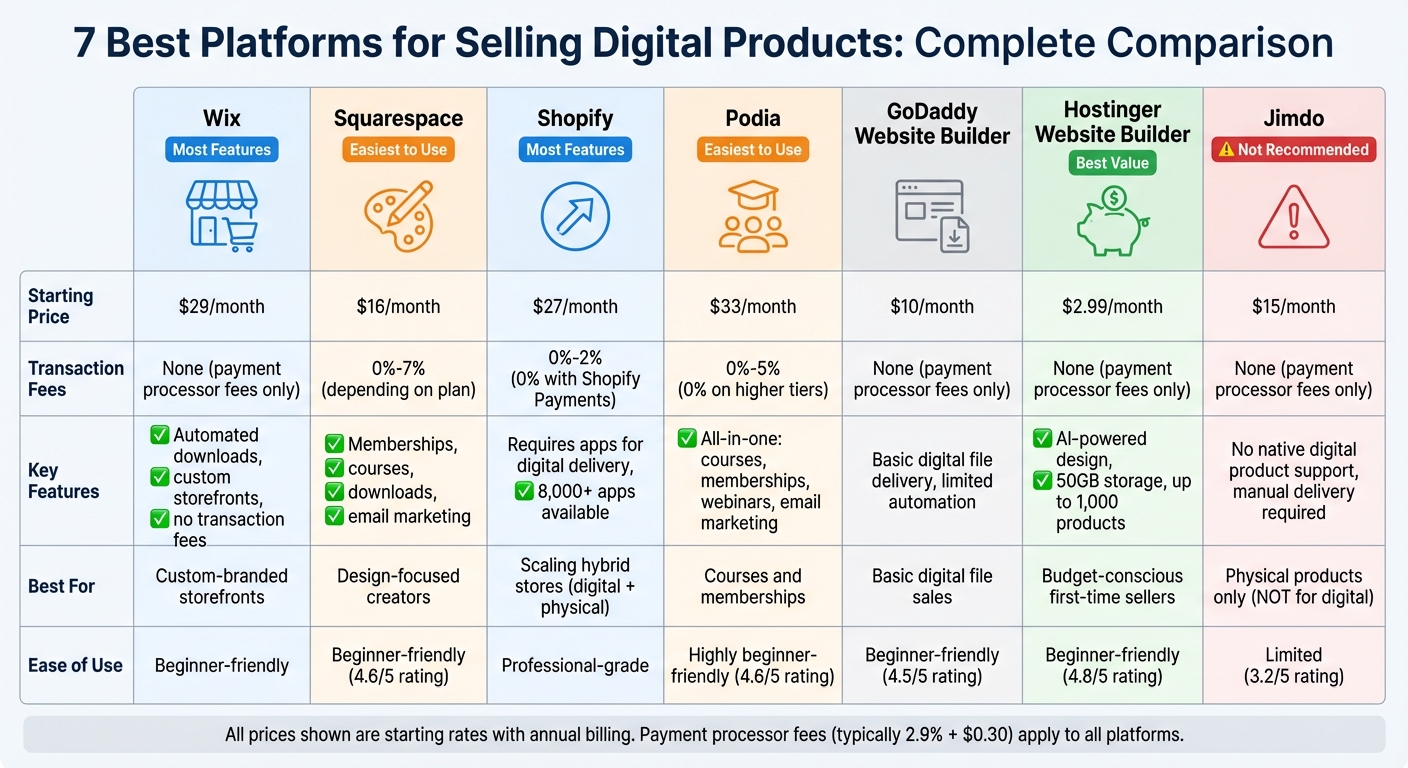
Comparison of 7 Digital Product Selling Platforms: Pricing, Features, and Best Use Cases
1. Wix
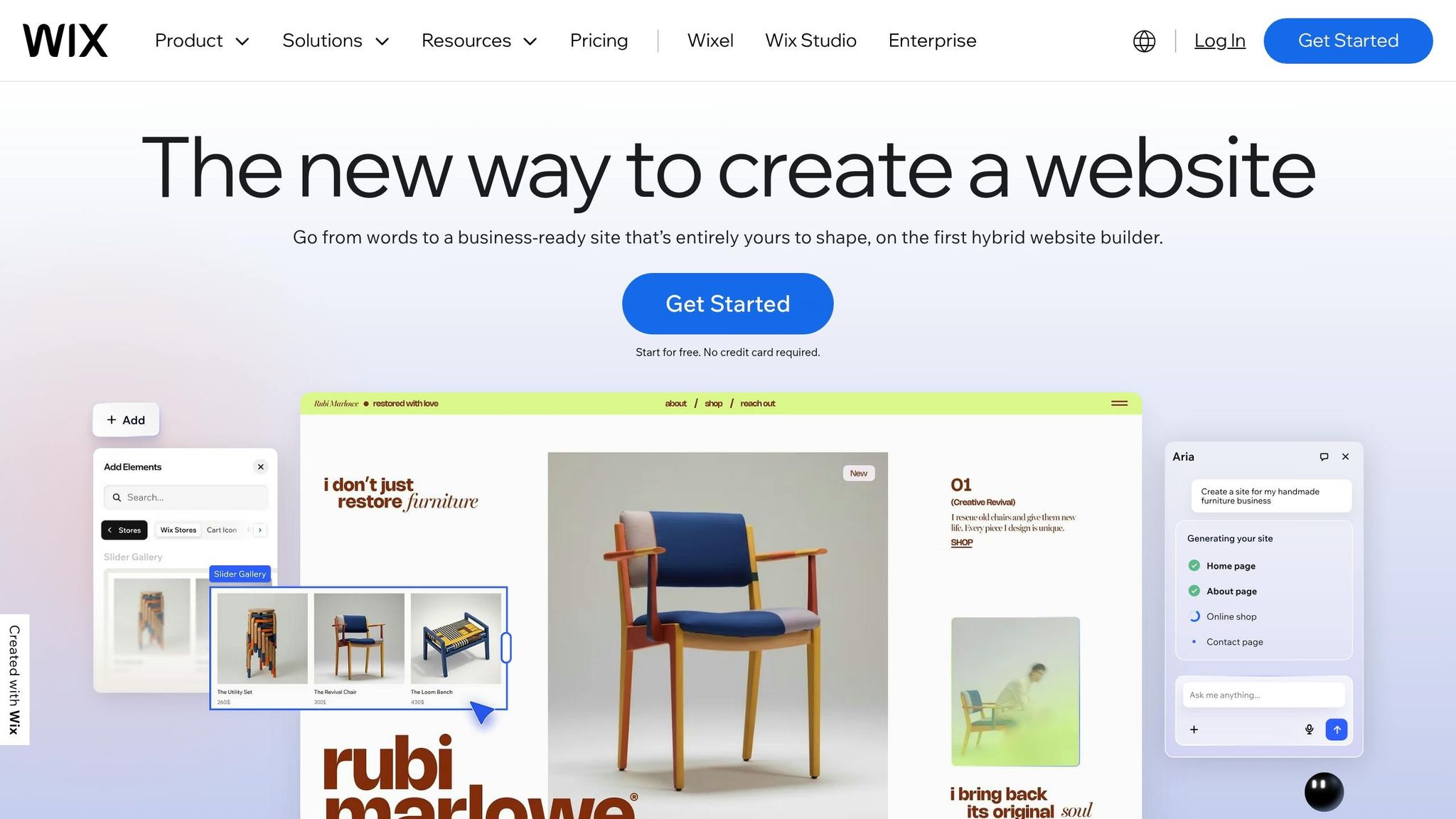
Wix is a platform designed to cater to digital sellers, making it simple to sell products like ebooks, music files, online courses, and memberships. It supports various file types, including images (up to 50MB), audio files (up to 100MB), and documents or ZIP files (up to 1GB). Once a purchase is made, customers receive an email with a download link that's valid for 30 days. Let’s dive into what makes Wix a standout option for selling digital products.
Digital Product Features
Wix provides tools for subscriptions and memberships, allowing sellers to set up recurring payments with flexible intervals - daily, weekly, monthly, or yearly. You can offer subscription-only products or member-exclusive discounts. The platform includes a Members Area where you can manage member-only pages, exclusive content, wishlists, and order histories. Security features like image watermarking and file storage protect your digital products, and you can manually resend expired download links directly from your dashboard.
Pricing and Transaction Fees
To sell digital products, you’ll need at least the Core plan, which costs $29/month. The Business plan ($39/month) adds 100GB of storage and automated tax handling for up to 100 transactions, while the Business Elite plan ($159/month) provides unlimited storage and loyalty program features. Wix doesn’t charge transaction fees, so you’ll only pay standard payment processing fees of 2.9% + $0.30 for most credit card payments. Opting for annual billing can save you as much as 53% over three years compared to monthly payments.
Scalability and Customization Options
Wix is built to handle growth, supporting up to 750 transactions per second. Its drag-and-drop editor makes customization easy, while the Velo tool offers advanced users the option to add custom coding. Stores using Wix’s SEO tools have seen a 24% boost in monthly revenue, and automated email campaigns contribute to 45% higher revenues. You can expand your reach by integrating with marketplaces and social platforms like Amazon, eBay, Etsy, TikTok, and Instagram.
"The thing that I loved about it over all of the other platforms out there is that you're able to customize everything on your website so that it's really yours." - Angus Willows, Kangaroo Hangers
User-Friendliness
Wix strikes a balance between ease of use and powerful features. Its AI tools can generate product descriptions and edit images, while Smart Product Recommendations personalize related product suggestions at checkout. The Wix Owner App lets you manage inventory, fulfill orders, and chat with customers - all from your phone. With 24/7 customer support and an AI advisor named Maia to guide you through eCommerce management, help is always available.
2. Squarespace
Squarespace stands out as one of the best store website builders for digital sellers, offering a rich toolkit to help creators and businesses monetize their content. With its Member Sites, you can lock exclusive content - like blogs, video libraries, or forums - behind a paywall. It also shines in the online course space, providing dedicated Course pages with multimedia lessons, structured chapters, and tools to track student progress in real time. If you're selling digital downloads, Squarespace supports eBooks, music files, PDFs, templates, and guides, all delivered via email after purchase. For video creators, the Video on Demand feature allows you to sell individual videos or collections via one-time payments or subscriptions. Plus, with Acuity Scheduling integration, you can offer one-on-one sessions, workshops, or group classes. These tools make Squarespace a go-to platform for selling digital products efficiently.
Pricing and Transaction Fees
Squarespace offers four pricing tiers, billed annually:
- Basic ($16/month): Includes a 7% fee on digital product sales.
- Core ($23/month): Lowers the fee to 5% and removes general transaction fees.
- Plus ($49/month): Reduces the fee further to 1%.
- Advanced ($99/month): Eliminates membership, course, and video access fees entirely.
Payment processing fees vary by plan, starting at 2.9% + 30¢ for lower tiers and dropping to 2.5% + 30¢ on the Advanced plan. Annual subscriptions also come with a free custom domain for the first year.
"Squarespace is the website 'sweet spot' for small businesses, freelancers, creatives and coaches who want a polished, professional website without the constant maintenance drama." - Jen Tippett Jones, Website Designer
Scalability and Customization Options
Squarespace is built for growth, supporting unlimited products across all plans. You can sell physical items, digital downloads, services, and subscriptions all at once. Its Blueprint AI builder simplifies site creation by generating tailored layouts, fonts, and colors based on your business description. With over 400 mobile-optimized templates and a drag-and-drop editor, customization is straightforward and visually appealing. AI tools also assist with automating tasks like writing product descriptions, crafting marketing emails, and fine-tuning SEO. However, keep in mind that Squarespace primarily supports Stripe and PayPal as payment gateways, and once you choose a site template, you can’t switch it later.
User-Friendliness
Squarespace earns high marks for ease of use, scoring 4.6/5 in user ratings. It offers a 14-day free trial and provides 24/7 customer support alongside a wealth of webinars to help users get started. All updates and security features are handled automatically, so you won’t need to worry about ongoing maintenance. Additionally, you can offer free previews of paywalled content - like videos or blog posts - to encourage visitors to subscribe. Whether you're aiming to sell downloadable products for passive income or build a membership model for recurring revenue, Squarespace ensures a smooth and intuitive experience.
3. Shopify
Shopify requires a digital delivery app to manage downloads and set access permissions. The free Digital Downloads app is a good starting point, supporting files up to 5GB and automatically sending download links via email after checkout. For advanced features like PDF watermarking, license key management, or streaming memberships, you’ll need third-party apps such as SendOwl or Sky Pilot. Let’s break down Shopify’s digital product features and pricing.
Digital Product Features
Shopify supports a wide range of digital products, including eBooks, courses, software licenses, and even NFTs. To handle subscriptions, streaming, and gated content, the platform relies on apps. For example:
- RecurrinGO! and Sky Pilot enable subscription-based content, video streaming, and exclusive member areas.
- Apps like these also offer advanced tools like PDF watermarking and license management.
One standout feature is Shopify’s ability to combine digital and physical product sales. For example, Snowboard Addiction uses Shopify to offer a monthly subscription service featuring tutorials and live online courses. Similarly, Materia Store sells digital sheet music for video game soundtracks.
"Selling digital products on Shopify is one of the simplest and most scalable ways to run an online business. You don't need inventory, fulfilment, or logistics." - Rosie Greaves, Content Strategist
Pricing and Transaction Fees
Shopify offers four main pricing tiers, billed annually:
- Starter: $5/month (ideal for social media sellers)
- Basic: $29/month
- Shopify/Grow: $79/month
- Advanced: $299/month
Transaction fees range from 2% on the Basic plan to 0.5% on the Advanced plan when using third-party payment processors like PayPal. However, these fees are waived if you use Shopify Payments, which starts at 2.9% + 30¢ per transaction. Digital products often boast profit margins of approximately 90%, though additional costs may arise from third-party apps required for advanced delivery features.
Scalability and Customization Options
Shopify’s vast app ecosystem - boasting over 8,000 apps - makes it easy to customize your store, whether you’re a solo creator or an international brand. The platform’s servers handle traffic spikes effortlessly, ensuring smooth performance even during high-volume sales events. AI tools like Shopify Magic and Sidekick help with tasks such as writing product descriptions, editing images, and offering real-time business insights.
For example, in December 2025, Character.com reported a 40% boost in conversions after switching to Shopify. If you’re selling digital items, remember to disable shipping requirements by unchecking the "This is a physical product" option in your settings.
User-Friendliness
Shopify has a 4.4/5 rating on G2, with users frequently praising its intuitive setup and Shop Pay, which is known for its high conversion rates. The platform also offers a $1/month trial for the first three months, giving you an affordable way to test your store. While relying on third-party apps for digital delivery can add complexity compared to all-in-one platforms, Shopify gives you unmatched flexibility and control over your brand, domain, and customer data.
4. Podia
Podia is a comprehensive platform designed for creators looking to sell digital products without hassle. Unlike Shopify, which often relies on third-party apps for digital delivery, Podia combines website building, email marketing, product hosting, and checkout into one convenient dashboard. It supports a variety of offerings, including online courses, digital downloads, webinars, coaching sessions, and memberships. This makes it particularly appealing to educators, coaches, and content creators. With more than 150,000 entrepreneurs across 167 countries using the platform - and support for payments in over 20 currencies - Podia stands out as a streamlined solution for digital product sales.
Digital Product Features
Podia’s course builder includes features like quizzes, certificates, and drip content, which releases lessons at scheduled intervals to help keep students engaged. Beyond courses, Podia excels in handling digital downloads. Its built-in community tools allow creators to host discussion forums and provide gated content without needing additional membership software. The platform supports a wide range of file types, including PDFs, templates, high-resolution images, audio files, and videos up to 10GB. You can even bundle multiple courses together and use features like PDF stamping, which embeds the buyer’s email on each page to discourage piracy.
"No plugins. No headaches. I just plop in my text and videos and publish." - Bex Irvine, Beauty Entrepreneur
Pricing and Transaction Fees
Podia offers a Free plan, allowing users to sell one coaching product and one digital download with an 8% transaction fee. This is a great way to test product ideas before making a bigger investment. The Mover plan costs $39 per month (or $33 per month when billed annually) and includes unlimited products, courses, and email marketing for up to 100 subscribers, with a reduced 5% transaction fee. For $89 per month (or $75 annually), the Shaker plan removes transaction fees entirely and adds features like memberships, affiliate marketing, and blogging tools. Note that all plans still incur standard payment processor fees from Stripe or PayPal, which are typically 2.9% + 30¢ per transaction.
User-Friendliness
Podia’s user-friendly design has earned it a 4.6/5 rating on G2, with users praising its intuitive dashboard and easy onboarding process. Joseph D'Amico, founder of Flex Lessons, shared that he was able to set up a professional-looking site in just one afternoon without needing any coding skills. That said, Podia’s design flexibility is somewhat limited compared to professional website builders, and its SEO tools are minimal. If organic search is a primary focus for your traffic, you may need to pair Podia with a third-party blog. However, its modular website builder is optimized for speed and mobile responsiveness, using preset layout blocks to simplify the process.
5. GoDaddy Website Builder
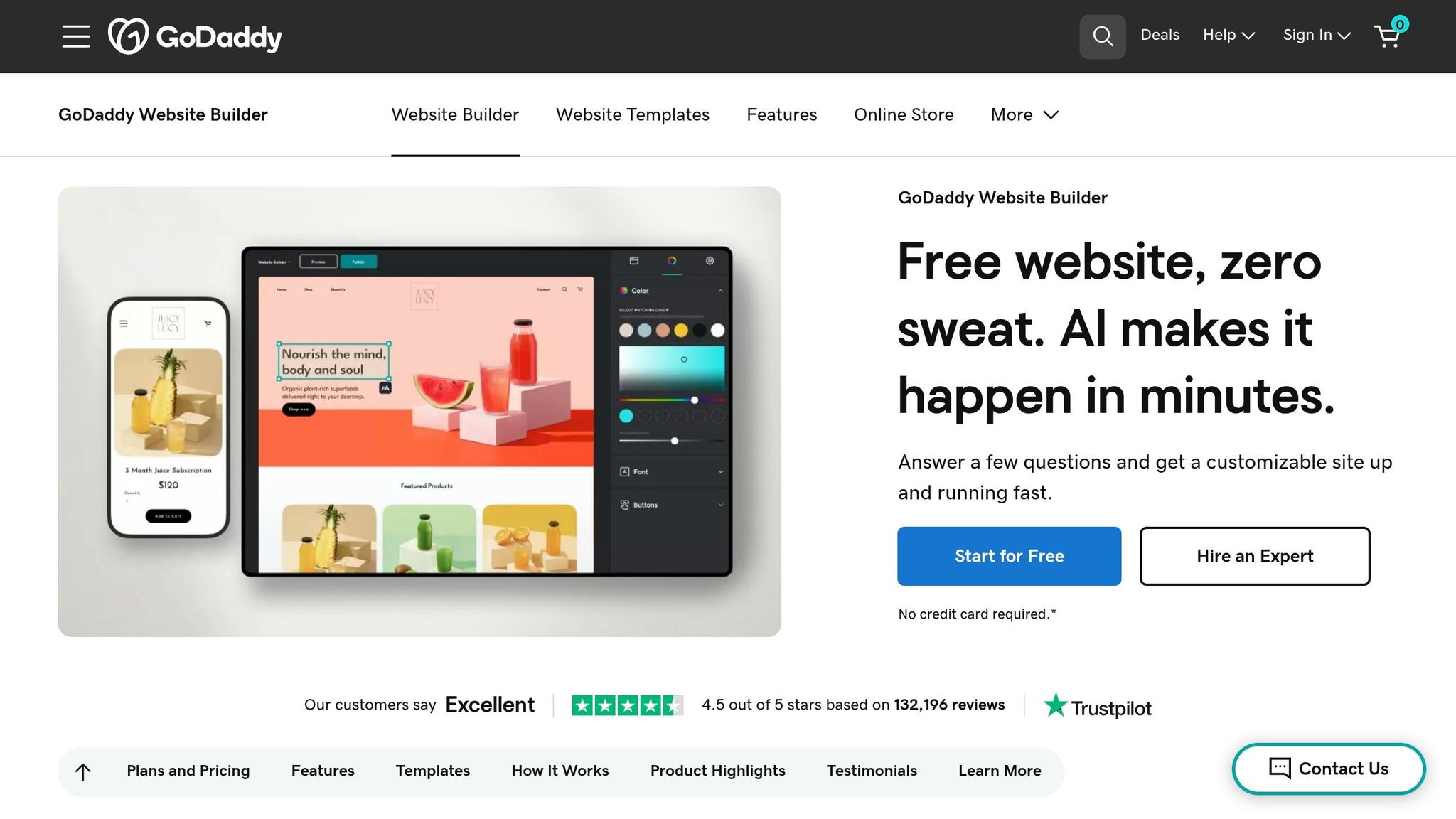
GoDaddy Website Builder, also known as Websites + Marketing, caters to business owners with little to no technical expertise who want to set up online stores. The platform makes it possible to sell digital products like documents, videos, and audio files, supporting file sizes up to 2 GB. Each digital product can include up to 10 files, with formats such as .mp3, .mp4, .m4a, .zip, .csv, and .xls. Customers receive a unique download link for each purchase, initially limited to three downloads, though this limit can be manually reset if needed.
Digital Product Features
The platform offers more than just file sales. It includes tools like online appointment booking, class scheduling with SMS and email reminders, and options to restrict content for members only. GoDaddy Airo, the platform's AI tool, helps by auto-generating product descriptions, logos, and website drafts. Additionally, a "Product Category" feature makes it easier for businesses to organize their digital offerings, enhancing navigation for customers.
Pricing and Transaction Fees
To sell digital products, you’ll need the Commerce plan, which costs $20.99 per month when billed annually. While GoDaddy itself doesn’t take a cut from transactions, standard processing fees of 2.7% + $0.30 per online sale apply via GoDaddy Payments. The plan includes unlimited product listings and up to 100,000 marketing email sends per month. However, be aware that renewal prices can increase dramatically, sometimes by 69% to over 200%, after the initial promotional period.
Scalability and Customization Options
The platform’s section-based editor is user-friendly and perfect for beginners making a website, but it does come with limitations. You’re restricted to preset layouts, with no ability to adjust individual elements, integrate third-party tools, or access source code. Itamar Haim, SEO Team Lead at Elementor, summed it up well:
"It is a furnished apartment - convenient, but you cannot knock down a wall, and if you stop paying rent, you leave with nothing but your suitcase."
This means that as your business grows, you may find yourself needing to rebuild your site from scratch.
User-Friendliness
With a 4.5/5 rating from over 130,000 users, the builder is often praised for its 24/7 phone support and quick setup process. Rahiem Thompson, founder of roletape.com, shared his experience:
"GoDaddy's Website Builder is super-convenient for somebody who has an idea of what they're trying to create, but might not have any technical skills".
The platform also boasts a Google Core Web Vitals score of 76.70%, which can help boost search rankings. However, some users have expressed frustration with aggressive upselling during checkout and the sharp increase in renewal prices.
sbb-itb-94eacf4
6. Hostinger Website Builder
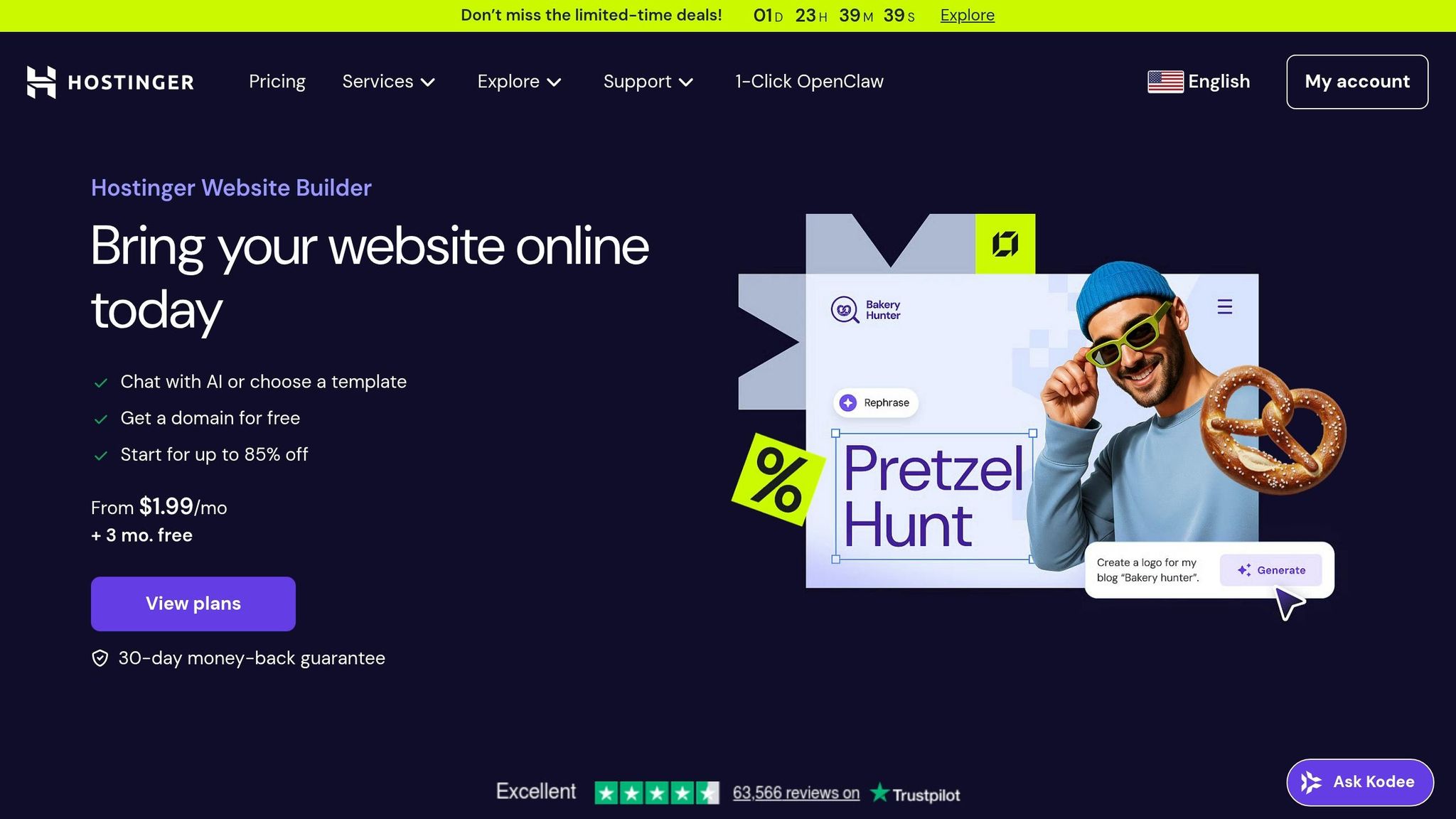
Hostinger Website Builder makes selling digital products a breeze for creators. Whether you're offering ebooks, software, music files, digital art, or templates, the platform has you covered. You can upload up to 10 files per product, with each file capped at 100 MB. For larger files, external links from platforms like Google Drive, YouTube, Dropbox, and OneDrive can be used to bypass the size limits.
Digital Product Features
After a purchase, customers automatically receive an email with a download link. You can decide how long the link stays active, adding an extra layer of control. All files uploaded are scanned by Cloudflare to block any malicious content. Supported file formats include popular ones like .PDF, .MP3, .MP4, .ZIP, .DOCX, and .XLSX. However, the platform doesn’t allow free digital products, and prices must start at a minimum of $1.00. Additionally, product variations are not supported.
Pricing and Transaction Fees
The Business plan is available for $2.99 per month with a 48-month commitment, renewing at $16.99 per month afterward. One standout feature? Hostinger doesn’t charge any transaction fees, though standard fees from payment processors like Stripe or PayPal still apply. With support for over 20 payment gateways and the ability to list up to 1,000 products, the platform offers a solid option for small- and medium-sized businesses looking to expand their digital sales.
Scalability and Customization Options
Hostinger also shines when it comes to scalability. Its AI-powered, drag-and-drop grid editor can instantly generate website drafts, product descriptions, and even images. Jakeb Thornberry, a satisfied user, shared:
"Hostinger's website builder is top tier. I don't see any website builder come close. WIX and GoDaddy don't even compare to the simplicity and overall possibilities you have here."
The Business plan includes 50 GB of storage and allows users to create up to 50 websites. That said, if you're aiming for enterprise-level operations with complex integrations, you might find the platform less adaptable compared to developer-focused tools.
User-Friendliness
Hostinger has earned high praise for its ease of use, scoring 4.8/5 from 1,237 Trustpilot reviews and 4.6/5 from 2,432 Google reviews. Indira Prieto, a lettering artist and graphic designer, commented:
"Building my website with Hostinger was effortless due to its speed and simplicity."
The platform also includes a mobile preview tool to ensure websites look great on smartphones. Customer support is quick, typically responding within three minutes. For added convenience, the AI Product Generator can create SEO-friendly descriptions automatically, simplifying the process of managing multiple digital products.
7. Jimdo
Jimdo, a platform that has powered over 32 million websites since its launch in 2007, doesn't quite measure up when it comes to selling digital products. Unlike other platforms with built-in tools for digital sales, Jimdo lacks native support for features like digital downloads, memberships, or automated delivery. If you're planning to sell ebooks, software, or digital art, you'll need to rely on password-protected sub-pages and manually handle transactions - a time-consuming process.
Digital Product Features
Jimdo's eCommerce tools are tailored for physical products, offering stock management, shipping options, and product variants like sizes and colors. However, it doesn't include essential features for digital sales, such as automated downloads or abandoned cart recovery. As Janis von Bleichert explains:
"Jimdo doesn't support digital product sales. To market something for download, you'll need... significant manual effort... This requires you to monitor every single transaction."
This lack of automation can be a major inconvenience for anyone focused on selling digital goods.
Pricing and Transaction Fees
Jimdo's pricing structure might appeal to physical product sellers, as the platform charges no transaction fees. You’ll only need to cover the monthly subscription and standard payment processor fees from services like PayPal or Stripe. Their online store plans start at $15–$19 per month for Basic, $22–$29 for Business, and $39–$45 for VIP. However, these plans offer little to support digital sales, making them more suitable for stores with fewer than 100 physical products.
Scalability and Customization Options
When it comes to customization, Jimdo is somewhat restrictive. Its AI-powered website builders like the "Dolphin" editor can generate a website in just three minutes based on your input, but it doesn't allow for manual adjustments like moving elements or tweaking spacing. Worse, if you decide to switch templates after launching your site, you'll need to rebuild it from scratch. Performance tests have also shown that Jimdo websites score just 6% overall, with load times averaging around six seconds - slower than the recommended five-second threshold.
User-Friendliness
User feedback on Jimdo is mixed. With an average rating of 3.2/5 from over 7,000 reviews, many users appreciate the quick setup but criticize its slow, email-only support and limited design flexibility. Ana Marković describes it as:
"Jimdo is an affordable, entry-level solution for small businesses just starting out. It's simple, it's fast, and the tutorial wizard... can do a lot of the work for you."
One helpful feature is the platform's Legal Text Generator, which creates GDPR-compliant terms and privacy policies to help ensure legal compliance. However, if selling digital products is your main focus, the manual processes required on Jimdo may outweigh its benefits.
Platform Comparison Table
Choosing the right platform for selling digital products involves weighing features, pricing, and ease of use. Here's a side-by-side comparison of seven popular platforms to help you decide which one fits your business needs:
| Platform | Starting Price | Digital Product Features | Transaction Fees | Ease of Use | Best Use Case |
|---|---|---|---|---|---|
| Wix | $17/month | Automated downloads, customizable storefronts, app integrations | Payment processor fees only (no platform fees) | Beginner-friendly | Custom-branded digital storefronts with design flexibility |
| Squarespace | $16/month | Digital downloads, membership sites, email marketing | 3% on Business plan; 0% on Commerce plans | Beginner-friendly | Design-focused creators selling courses, ebooks, and templates |
| Shopify | $27/month | Requires third-party apps for digital delivery, robust inventory management | 0% with Shopify Payments; 0.5%–2% with third-party gateways | Professional-grade | Scaling businesses and hybrid stores selling both physical and digital products |
| Podia | $33/month | Built-in course hosting, memberships, webinars, email marketing; no apps needed | 5% on Mover plan; 0% on Shaker plan ($89/month) | Highly beginner-friendly | Online courses, coaching programs, and membership communities |
| GoDaddy Website Builder | $10/month | Basic digital file delivery, limited automation | Payment processor fees only | Beginner-friendly | Small-scale sellers with simple digital product catalogs |
| Hostinger Website Builder | $2.99/month | AI-powered design, basic eCommerce tools | Payment processor fees only | Beginner-friendly | Budget-conscious creators launching their first digital store |
| Jimdo | $15/month | No native digital product support; manual delivery required | Payment processor fees only | Beginner-friendly setup; limited customization | Physical product sellers; not recommended for digital goods |
This table gives a snapshot of each platform, but the right choice depends on your specific goals.
For digital product sellers, platform capabilities vary widely. Shopify is ideal for businesses aiming to scale, thanks to its robust tools and operational control. However, it requires third-party apps to manage digital downloads effectively. On the other hand, Podia simplifies the process by combining website building, course hosting, and email marketing in one place, making it perfect for educators and content creators. If you're just starting, Hostinger offers the lowest entry price, while Wix provides flexibility for custom designs.
Transaction fees can significantly impact your bottom line. For example, generating $50,000 in annual revenue could cost $5,250 in fees at 10%, but only $600 with a flat fee structure. Shopify avoids platform fees entirely when using Shopify Payments, though third-party gateways add 0.5%–2%. Podia charges 5% on its basic plan but drops to 0% on its higher-tier plan. Flat monthly fees often save more over time compared to percentage-based charges. Carefully calculate your breakeven point before committing to a platform.
Conclusion
Each platform offers distinct strengths and pricing models, so the best choice depends on comparing the best online store builders to align your needs with your long-term goals. If you're just starting out without an audience, consider platforms with low upfront costs that let you launch quickly and avoid monthly commitments.
For creators seeking an all-in-one solution, Podia stands out with its hosting, email marketing, and community features.
Take a close look at your cost structure. For example, if you're earning $780 per month, a $39 flat-rate subscription could save you money compared to a 5% fee model. Flat monthly rates tend to work better for high-volume sellers than percentage-based fees.
Scalability is another key factor. Platforms like Shopify, which supports both digital and physical products, are great for those planning to expand their offerings or build a hybrid store. Meanwhile, Wix provides design flexibility for creating custom-branded storefronts.
For international sellers, choosing a platform that handles VAT and sales tax compliance automatically - like those acting as a Merchant of Record - can save you time, reduce stress, and help you avoid potential legal issues. As Alex Dwek, COO of Nas.io, wisely points out:
"The best platform isn't the one with the most features and flashy designs. It's the one that removes friction".
Finally, match the platform to your product type. Course creators, for instance, will appreciate Podia's specialized features without being bogged down by unnecessary tools. By aligning your product, budget, and growth plans with the strengths of the platform, you're setting yourself up for success in the digital sales space.
FAQs
What is the best platform for selling online courses?
Kartra stands out as the top platform for selling online courses in 2026. It offers a comprehensive suite of tools designed to help course creators grow their businesses. From eCommerce features to marketing tools and analytics, Kartra provides everything you need in one place to scale your course offerings seamlessly.
How do I calculate the real cost after fees?
To figure out the real cost after fees, you need to consider all related expenses. This includes things like platform fees, transaction fees, and payment processing charges. One way to simplify this process is by using selling price calculators, which help you factor in these costs and set a price that not only covers your expenses but also aligns with your profit goals.
Another approach is to subtract the total fees from your gross revenue. This will give you a clear picture of your net profit. Don’t forget to include per-sale costs such as affiliate commissions and gateway fees in your calculations. These smaller charges can add up quickly and impact your overall earnings.
What should I choose if I plan to scale later?
When planning for growth, it's crucial to choose a platform that offers customization and integration options to match your evolving needs. For instance, WooCommerce (paired with WordPress) is a solid choice for businesses seeking long-term scalability and flexibility. If you're looking for a platform with features tailored to expanding businesses, Shopify is worth considering. Additionally, platforms like Sellfy and Thinkific provide options for scaling by supporting a variety of digital product types. Focus on tools that are built to grow alongside your business to ensure they align with your future goals.