Community forums are essential for creating online spaces where people connect, share, and grow. Choosing the right website builder impacts how effectively you can manage and grow your forum. In 2026, the best platforms offer AI-driven features, mobile-first designs, and tools for engagement like gamification and video integration.
Here’s a quick rundown of the top website builders for community forums:
- Wix: Affordable with AI tools and flexible layouts. Best for beginners.
- Mighty Networks: Focuses on engagement with AI Co-Host and mobile apps.
- Circle: Modular design with live streaming and automation options.
- Skool: Gamification-focused with simple setup and engagement tools.
- EzyCourse: Combines courses, forums, and monetization in one platform.
- Bettermode: Highly customizable with advanced moderation tools.
- Squarespace: Known for design but requires third-party tools for forums.
- Kajabi: All-in-one platform for forums, courses, and marketing.
Quick Comparison
| Platform | Starting Price | Key Features | Best For |
|---|---|---|---|
| Wix | $17/month | AI setup, flexible layouts | Beginners |
| Mighty Networks | $79/month | Mobile apps, AI Co-Host | Community engagement |
| Circle | $89/month | Modular design, live streaming | Creators |
| Skool | $99/month | Gamification, simple setup | Driving participation |
| EzyCourse | $69/month | Courses, forums, monetization | Course creators |
| Bettermode | $399/month | Customizable, advanced moderation | Professional communities |
| Squarespace | $16/month | Design-focused, needs integrations | Aesthetic websites |
| Kajabi | $89/month | All-in-one for courses and forums | Marketing-focused creators |
Each platform offers unique strengths. Start with a free trial to explore features and find the best fit for your goals.
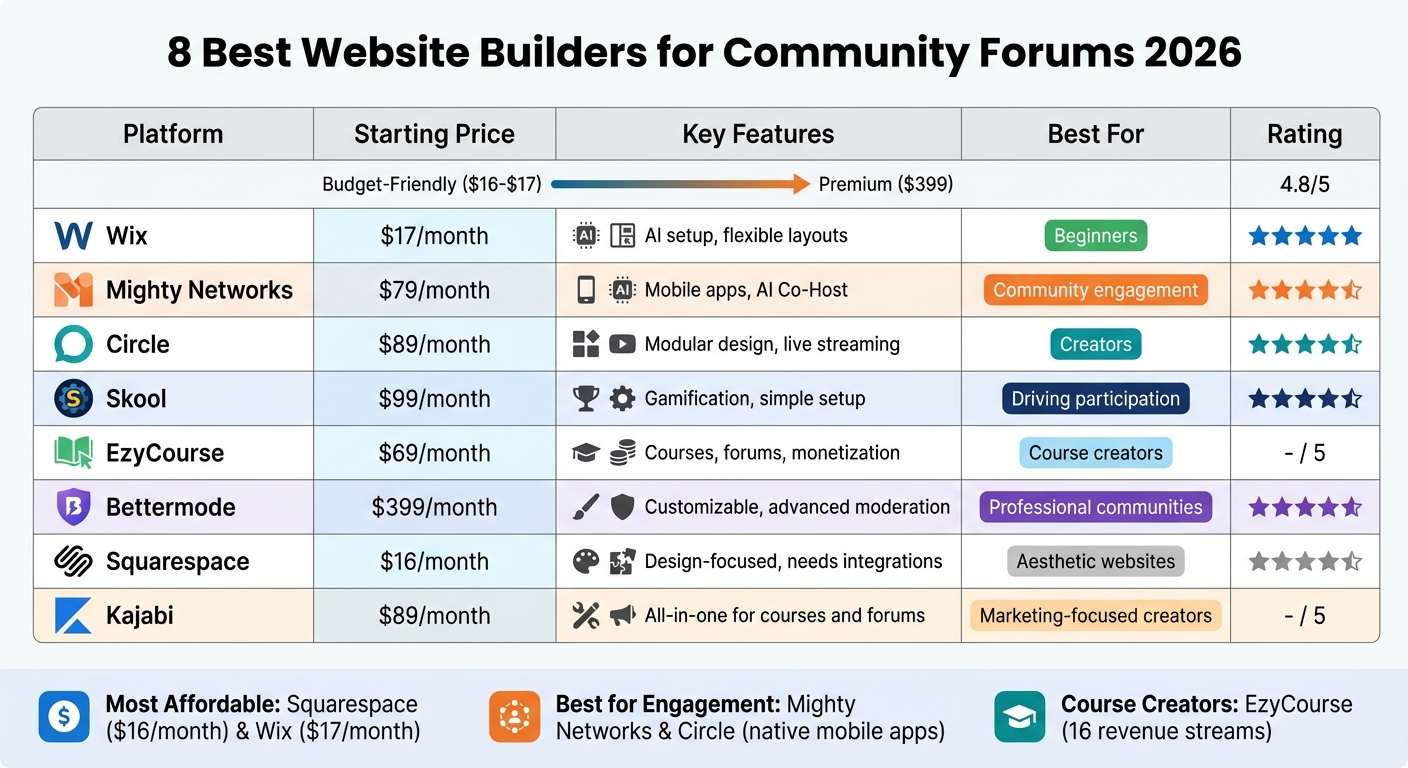
Website Builders for Community Forums 2026: Pricing and Features Comparison
Comparing the Top Community Platforms (Kajabi, Skool, Circle, Mighty Networks & Facebook)
sbb-itb-94eacf4
1. Wix
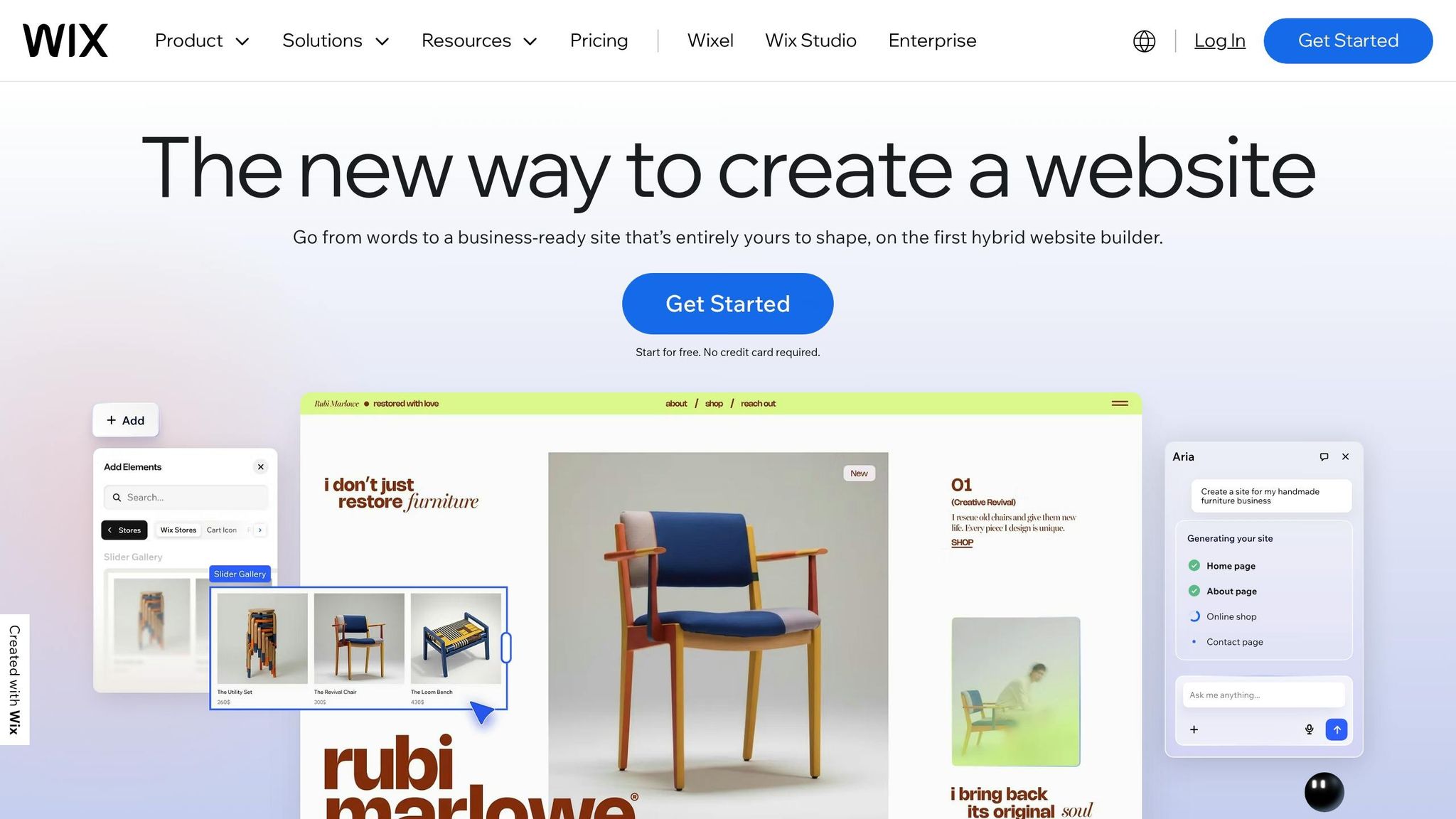
Wix is phasing out its old Forum app and introducing Wix Groups, a fresh way to create and manage discussion spaces. This new platform blends user-friendly design with secure moderation tools, making it a great option for both beginners and experienced users. AI integration also simplifies setup, ensuring a smooth experience.
Wix's updates reflect the changing needs of online communities, focusing on boosting engagement while maintaining safety.
Forum-specific features
Wix Groups organizes discussions into topic-based categories, each with customizable headers and rules. Users can pick between two layouts: a "Classic" style for text-heavy discussions or a "Cards" layout with a masonry design for visual content. Moderation tools allow assigning moderator roles to trusted members, enabling them to pin, move, or delete posts, and even disable comments on specific threads.
To keep forums secure, Wix offers reCAPTCHA protection, word filters for spam and banned content, and post limits for new users during their first week. Access control is flexible, letting you restrict visibility to everyone, logged-in users, or specific groups based on roles, badges, or subscriptions. These tools ensure a safe and well-managed community space.
Pricing and affordability
Wix offers a free plan with limited storage and ads. Paid plans start at $17/month for the Light option, followed by $29/month (Core), $39/month (Business), and $159/month (Business Elite). Plus, you can use the discount code "TAKE10" to get 10% off.
Ease of setup and management
Setting up a forum with Wix is quick and straightforward. You can create structured categories and customize the design without needing to code. Thanks to Wix Harmony AI, you can generate a multi-page community site in just three minutes. Managing tasks is simple through the admin dashboard, and the Wix mobile app lets you handle forum duties and interact with members on the go.
Integration with other tools or services
In March 2026, Wix introduced integration with Zapier, allowing you to connect your community site to thousands of third-party apps without writing a single line of code. Additionally, the platform now features an AI Visibility Overview tool, which tracks how often your community pages appear in AI-generated responses from models like ChatGPT and Gemini. This helps you gauge your content’s reach beyond traditional search engines.
2. Mighty Networks
Mighty Networks is more than just a place for discussions - it's a platform designed to bring communities together in dynamic, organized ways. It uses "Spaces" to structure communities, allowing for customizable discussion feeds, chats, resource libraries, and directories. This setup makes it simple to separate general conversations from more focused groups or exclusive content areas.
One standout feature is Mighty Co-Host, an AI assistant that helps with tasks like generating discussion prompts, icebreakers, and member introductions. According to the platform, this AI can create a full community structure, landing page, and pitch in under a minute. Beyond these highlights, Mighty Networks also offers tools for pricing, management, and integration to enhance user experiences.
Forum-specific features
Mighty Networks supports a variety of interactive content, including multimedia posts, threaded comments, polls, and Q&A sessions. Its People Explorer feature connects members with shared interests, fostering deeper engagement. Built-in moderation tools help manage member activity, making it easy to track participation and re-engage users who may have gone quiet. Plus, the native iOS and Android apps ensure users stay connected with timely push notifications.
Pricing and affordability
- Launch Plan: $79 per month, includes AI Co-Host, community tools, and course features.
- Scale Plan: $179 per month, adds advanced automations and API access.
- Growth Plan: $354 per month, offers priority support and sessions with growth experts.
- Mighty Pro: Custom pricing for fully branded mobile apps available through the Apple and Google Play stores.
Ease of setup and management
The platform is designed for simplicity, offering a no-code setup and AI tools to handle tasks like creating lesson introductions or daily discussion prompts. Mobile apps make it easy to manage communities on the go, while higher-tier plans include migration services and API access for more advanced needs.
Integration with other tools and services
Mighty Networks supports over 2,000 embeds via iframes, giving users flexibility to include various tools and media. It also features a native integration with Kit (formerly ConvertKit) for email marketing. For those on the Scale and Growth plans, API access enables connections to external tools and automates complex workflows.
3. Circle
Circle offers a flexible approach to community building with its modular design. You can create customizable spaces that act as building blocks, allowing you to organize discussion threads by topic, membership tier, or area of interest. This setup makes it easy to separate general conversations from premium content. With over 13,000 communities hosted and recognition as a G2 Leader in community platforms, Circle stands out as a go-to option for hosting active forums.
The platform also streamlines community management with its AI-powered builders and AI Agents, automating tasks like onboarding and support. Members can engage through long-form forum threads, real-time chat channels, or live streaming, giving them multiple ways to connect. This modular setup powers Circle's wide range of engagement tools.
Forum-specific Features
Circle supports rich media posts and threaded comments, making it ideal for in-depth conversations. Automated moderation tools help maintain order, while features like a searchable member directory, personalized activity feeds, and weekly digests keep members involved. You can also assign specific roles to moderators and encourage participation with points and leaderboards. Live Rooms are available for hosting AMAs, workshops, or group discussions.
Pricing and Affordability
Circle offers several plans:
- Professional Plan: $89/month, includes unlimited members, 20 spaces, courses, live streaming for up to 100 attendees, and a 2% transaction fee.
- Business Plan: $199/month, adds automation workflows, custom profile fields, API access, and reduces transaction fees to 1%.
- Circle Plus: Custom pricing for enterprise needs, featuring AI Agents, branded mobile apps, custom SSO, and a 0.5% transaction fee.
An optional Email Hub add-on starts at $99/month for managing up to 10,000 contacts. All plans come with a 14-day free trial and a 30-day money-back guarantee.
Ease of Setup and Management
Circle's drag-and-drop website builder, equipped with over 100 pre-built blocks and mobile-friendly templates, makes it user-friendly - even for those without coding skills. Tamara Grominsky, Founder of PMM Camp, highlighted this ease of use:
"It was drag-and-drop and simple to rebuild (and improve) my entire site myself. And now, every page is connected, on-brand, and built to convert."
Circle combines multiple tools - like courses, payments, live streams, and email marketing - into one platform, reducing the need for extra software. Its migration services further simplify moving existing content, payments, and member data.
Integration with Other Tools and Services
Circle integrates seamlessly with platforms such as WordPress, Teachable, and Memberstack through Single Sign-On (SSO). The Business and Circle Plus plans include API access for custom workflows, reducing reliance on additional tools. Zapier integrations add further automation options. Paying customers also gain access to the exclusive Circle Customer Community, which includes over 27,000 members and offers weekly coaching calls and live workshops.
4. Skool
Skool stands out among website builders by seamlessly combining community features like forums, courses, and gamification. With a 4.8/5 rating from nearly 20,000 users, it’s designed to help creators get started quickly while ensuring a distraction-free experience where conversations take center stage.
Samuel Earp, a landscape artist who transitioned from Patreon in 2023, shared his experience:
"Skool was so easy to use that I figured it out within five minutes".
Forum-specific Features
At the heart of Skool is its discussion feed, where members can make posts, leave comments, and engage with features like likes and @mentions. Content is organized into up to 10 non-nested forum categories, and tools like native polls, GIFs, and real-time notifications help keep interactions lively.
Skool’s gamification system takes engagement to the next level. Members earn points when their posts or comments receive likes, letting them climb a public leaderboard. Additionally, creators can lock course modules, requiring members to reach specific participation levels to unlock them. The platform also provides moderation tools to pin announcements, set entry questions for new members, assign moderator roles, and establish community rules. This system not only boosts activity but also positions Skool as a comprehensive solution for managing forums and communities.
Pricing and Affordability
| Plan | Monthly Cost | Transaction Fee | Key Features |
|---|---|---|---|
| Hobby Plan | $9/month | 10% | Unlimited courses/members, basic analytics |
| Pro Plan | $99/month | ~2.9% | Custom domain, webinars (up to 10,000 attendees), advanced analytics |
Both plans come with a 14-day free trial. While the Hobby Plan lacks support for custom domains, the Pro Plan includes webinar functionality and advanced analytics. Skool also incentivizes growth by offering a 40% recurring monthly commission to users who refer new creators. The straightforward setup process for beginners further enhances the platform’s appeal.
Ease of Setup and Management
Skool simplifies community management with an admin dashboard that includes a 5-step checklist to get your community up and running in just minutes. With its user-friendly interface, you can manage everything from one place. A single click allows you to send any post directly to members' email inboxes, and a unified search bar makes it easy to find posts, comments, profiles, and course materials.
Integration with Other Tools and Services
Skool has recently added built-in video hosting, removing the need for external services like YouTube or Vimeo. A unified user profile across all Skool groups makes participation in multiple communities seamless. Additionally, email digests summarize popular posts, keeping members connected without requiring constant app use.
5. EzyCourse
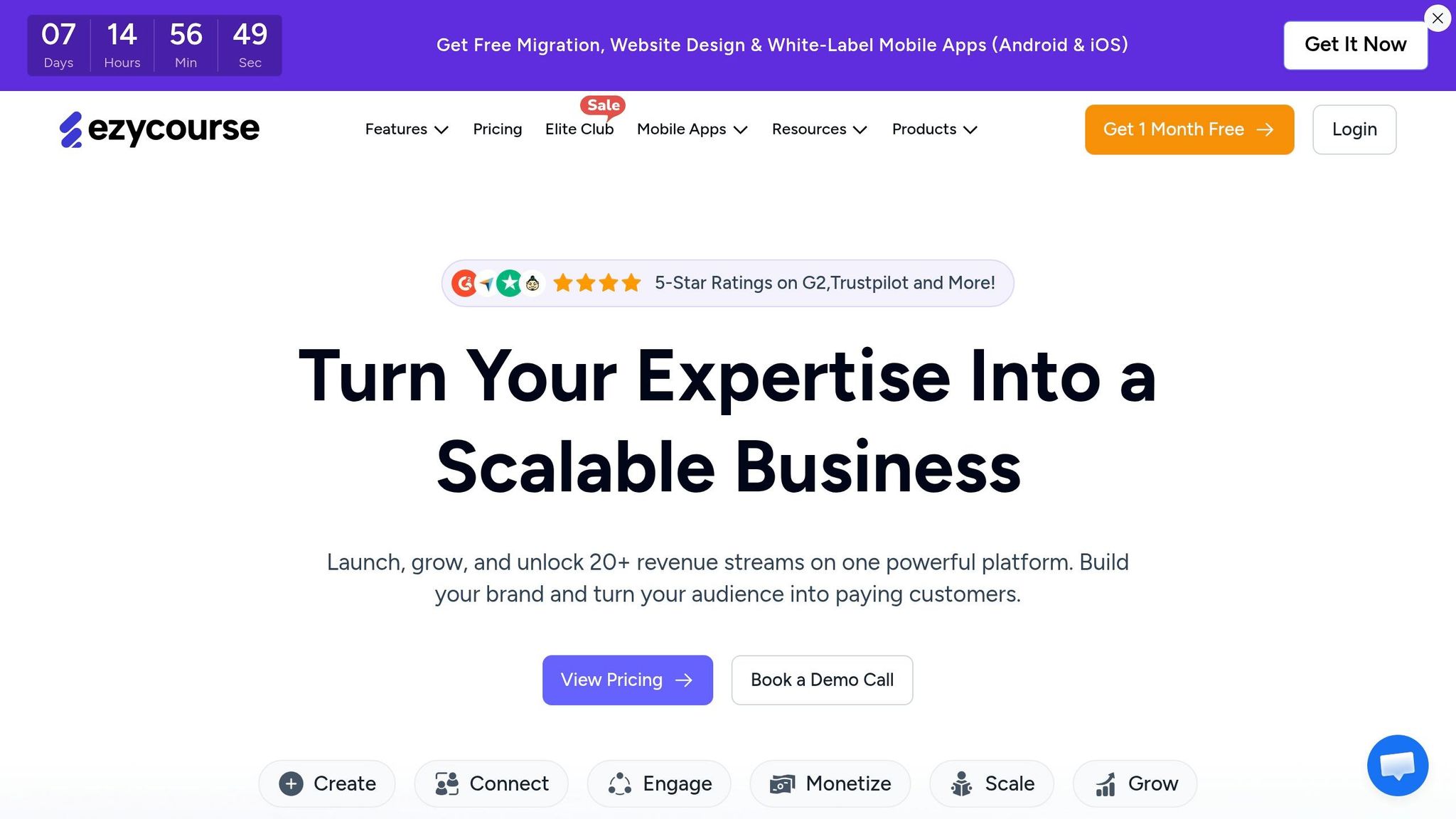
EzyCourse combines course creation, community forums, memberships, and product sales into a single platform. Its interface feels intuitive, allowing members to post, react, and comment in real time. With over 250 templates and a drag-and-drop builder, you can set up a forum using one of the best platforms to create a website. These design features create an engaging space for creators and their communities.
Forum-specific Features
EzyCourse organizes discussions with structured channels, making it easy to group conversations by topics or interests. This setup works seamlessly with its built-in course and membership management tools. You can create premium or locked channels, restricting access to paid members, which provides a straightforward way to monetize your community.
To keep members engaged, the platform includes gamification tools like leaderboards and achievement badges. Automated post digests deliver daily or weekly summaries to members, keeping them informed about community activity. Moderation features allow you to set post-approval rules, while the ability to share photos, videos, documents, and polls ensures dynamic discussions. Plus, live sessions and Q&As can be hosted directly within the community.
Pricing and Affordability
| Plan | Price (Billed Annually) | Key Features |
|---|---|---|
| Essential | $59/month | Unlimited courses, custom pages, core community features |
| Pro | $139/month | Up to 5 communities, affiliate programs, 50,000 marketing emails/month |
| Unlimited | $199/month | Unlimited communities, white-label apps, 100,000 marketing emails/month |
| Elite | $299/month | All add-ons, unlimited coaching, dedicated tech team support |
EzyCourse offers a 30-day free trial to explore its features. The Essential plan starts at $59/month, providing an affordable way to get started. Upgrading to higher tiers unlocks advanced features like managing multiple communities and white-label branding, ideal for businesses looking to customize the platform.
Ease of Setup and Management
The platform’s no-code interface is perfect for those without technical skills. It also includes a branded mobile app for Android and iOS, complete with real-time push notifications. You can customize privacy settings to make communities public, private, hidden, or restricted. One Capterra reviewer highlighted the platform’s ease of use:
"Great support, user friendly platform and regular updates."
Integration with Other Tools and Services
EzyCourse integrates with Zoom for live meetings, Google Analytics for tracking user behavior, and various email marketing tools for automated campaigns. It also supports Webhooks, allowing smooth data exchange with other platforms. Since the community feature is closely tied to EzyCourse's learning management system, you can bundle forum access with courses or digital products. This setup allows you to manage over 20 revenue streams from a single dashboard, blending community interaction with learning and sales opportunities.
6. Bettermode
Bettermode serves over 4 million users across 100,000 sites, offering a professional community platform designed to boost engagement without the hassle of technical complexities, similar to other top website building tools. With its modular setup, you can easily tailor your forum's layout and features - no coding required.
Forum-specific Features
The platform's Design Studio uses drag-and-drop blocks, allowing you to completely personalize your forum. You can toggle between card and list views, rearrange content, and tweak design elements to align with your brand's identity. It supports a variety of engagement tools like threaded conversations, Q&A, polls, and event listings to cater to your community's needs.
Content organization is streamlined through "Spaces", which utilize topics, tags, and AI-powered search for easy navigation. To maintain quality and control, Bettermode includes an automated reputation system, badges, leaderboards, and moderation tools with AI-based spam detection and detailed permission settings. Jennifer Serrat, Community Manager at Coachhub, shared her experience:
"Bettermode was a game-changer for Coachhub, enabling the creation of a lively, interactive coaching community."
With these features, Bettermode provides a solid foundation for building and managing vibrant online communities.
Pricing and Affordability
| Plan | Monthly Price | Yearly Price | Members | Collaborators |
|---|---|---|---|---|
| Starter | $499/month | $399/month | Up to 10,000 | 5 |
| Growth | $1,750/month | $1,500/month | Up to 25,000 | 10 |
| Premium | Contact Sales | Contact Sales | Up to 100,000 | 20 |
The Starter plan offers essential features like Q&A, polls, events, and a custom domain. The Growth plan adds advanced tools like API access, webhooks, and the option to remove Bettermode branding. For those needing more, the Premium plan includes a dedicated customer success manager and a 99.9% uptime SLA. Opting for annual billing can save you up to 16% compared to monthly payments.
Ease of Setup and Management
Bettermode's user-friendly interface makes it easy to get started without needing a developer. Monica D., a Senior Product Manager, noted:
"The learning curve is very low, with intuitive building blocks and a powerful activity feed for modern web users."
You can create public or private spaces, set up invitation-only groups, and customize member profiles and directories. Built-in translation locales also support multiple languages, making it an excellent choice for communities with a global reach.
Integration with Other Tools and Services
Bettermode integrates seamlessly with popular tools and platforms:
- Communication: Slack and Discord for real-time notifications.
- CRM: HubSpot and Salesforce for syncing customer data.
- Support: Zendesk and Intercom for customer service.
- Automation: Workflow tools like Zapier and Make.com.
- Analytics: Hotjar, Fullstory, and Google Analytics for tracking user behavior.
Additionally, Single Sign-On (SSO) options like OAuth2, JWT, and SAML ensure members can move effortlessly between your main product and the community. These integrations make Bettermode a comprehensive solution for managing and growing online communities.
7. Squarespace

Squarespace stands out for its sleek, award-winning templates and intuitive design tools, earning it an impressive 9.2/10 "Rockstar Rating" for aesthetics. However, when it comes to community forums, Squarespace has a gap - it doesn’t offer native forum functionality. To add this feature, you’ll need to rely on external platforms like Circle or MemberSpace for discussion and community-building tools.
Forum-Specific Features
Squarespace’s built-in Member Sites feature is limited to gating content and controlling page access. It doesn’t support threaded discussions or direct member-to-member interaction. Haiden Hibbert, Content Manager at MemberSpace, highlights this limitation:
"Squarespace's native membership features are pretty basic and don't support community forums or the kind of tiered access that most growing communities need."
To create a functional forum, you can combine Squarespace’s Fluid Engine for landing pages and dashboards with third-party tools like Circle for branded forums, live interactions, and tiered paywalls. Alternatively, MemberSpace allows you to set up private "Spaces" that link to external chat platforms, such as Slack, WhatsApp, or Facebook Groups.
Pricing and Affordability
In early 2026, Squarespace introduced a four-tier pricing structure. Opting for annual billing saves between 25% and 40% compared to monthly payments.
| Plan | Monthly Billing | Annual Billing | Key Features for Forums |
|---|---|---|---|
| Basic | $25 | $16/month | 2 contributors; no custom code for integrations |
| Core | $36 | $23/month | Unlimited contributors; allows code injection |
| Plus | $56 | $39/month | 0% commerce fees; 50 hours of video storage |
| Advanced | $139 | $99/month | 0% digital product fees; unlimited video storage |
Keep in mind, integrating forums through Circle (starting at $89/month) or MemberSpace adds extra costs to your Squarespace subscription. All annual plans also include a free custom domain for the first year.
Ease of Setup and Management
Squarespace’s design tools are beginner-friendly, featuring a drag-and-drop interface and the Blueprint AI builder, which makes creating your main website simple. That said, integrating a forum requires embedding or linking to third-party platforms. For such integrations, the Core plan is recommended, as it supports custom code injection (CSS/JS).
Integration with Other Tools and Services
Squarespace offers unlimited storage and monthly data transfers across all plans, which is ideal for media-heavy content. It supports integrations with community management tools like Circle and MemberSpace, and you can connect external chat platforms such as Slack, WhatsApp, or Facebook Groups to your member dashboard. To help you decide if these integrations meet your needs, Squarespace provides a 14-day free trial.
8. Kajabi
Kajabi wraps up the list with its all-in-one platform combining community features and marketing tools. This marketing-centered solution integrates community forums with email campaigns, sales funnels, and course hosting. It’s designed for creators who want everything in one place rather than juggling multiple tools. Kajabi powers more than 30,000 communities, serving over 3 million active members, and has helped generate over $350 million in revenue for its users.
Forum-Specific Features
Kajabi structures discussions into topic-based spaces, allowing members to post content enriched with media [42,44]. It supports threaded conversations, real-time notifications for replies and mentions, and includes a searchable member directory to enhance connections [42,43]. To maintain organization, you can pin announcements or guidelines, while the activity feed keeps everyone updated on the latest discussions [42,43].
For live interaction, Kajabi Events provides a community calendar for scheduling webinars and video sessions [43,44]. Discussions are accessible via Kajabi’s native mobile app or a branded app available with the Pro plan [43,44]. However, one drawback is that the community section is separate from course lessons, requiring students to navigate to a different area to engage in forums.
Kajabi does not currently offer gamification features like leaderboards or point systems [43,44]. Its moderation tools are also fairly basic, lacking advanced filtering options. That said, creators pairing courses with community discussions report a 65.5% course completion rate, compared to 42.6% for courses without community elements.
These forum features are complemented by a range of flexible site builder tools and pricing plans.
Pricing and Affordability
Kajabi’s pricing starts at $89/month with the Kickstarter plan, though most creators lean toward the Basic plan at $179/month. Opting for annual billing can save you 20% to 28%, depending on the tier. Here’s a breakdown of the pricing:
| Plan | Monthly Price | Annual Price (per month) | Community Limit |
|---|---|---|---|
| Kickstarter | $89 | $71 | 1 Community |
| Basic | $179 | $143 | 1 Community |
| Growth | $249 | $199 | 1 Community |
| Pro | $499 | $399 | 3 Communities |
Kajabi charges 0% transaction fees when using Kajabi Payments. However, the limit of one community per plan (except Pro) can be restrictive for creators managing multiple topics. Custom domain names are an additional cost, ranging from $5 to $50 per year.
Ease of Setup and Management
Kajabi takes care of hosting, security, and updates, making it a solid choice for creators without technical expertise. Its drag-and-drop page builder and pre-designed templates eliminate the need for coding skills. Justin Welsh, a solopreneur and content creator, shared his thoughts:
"I moved over to Kajabi and had all that stuff under one roof, which was a blessing for my business."
This centralized approach simplifies management and removes the hassle of using multiple tools [46,47].
Integration with Other Tools and Services
Kajabi integrates seamlessly with Stripe, PayPal, Google Analytics, and Mailchimp [44,47]. It also connects to thousands of other tools via Zapier, though advanced automations and webhooks are only available with the Growth and Pro plans.
Platform Comparison Table
When it comes to choosing a platform, it’s all about balancing cost, features, and essential tools for website creation. For beginners, Wix and Squarespace are affordable choices, starting at $16–$17/month. On the other end of the spectrum, Kajabi caters to those seeking a premium solution, with a much higher price tag.
Platforms like Mighty Networks ($79/month), Circle ($89/month), and Skool ($99/month) focus heavily on community engagement, offering native mobile apps and interactive features. For course creators looking for an all-in-one, budget-friendly option, EzyCourse stands out at $69/month.
Each platform's usability and advanced web building tools play a major role in how effectively it fosters community interaction. For instance, Wix provides over 900 templates with great design flexibility, though it doesn’t allow template changes after publication. Squarespace is praised for its user-friendly interface, despite its restrictive editor grid and lack of an auto-save feature. Bettermode excels with its customizable interface, earning a 4.7/5 rating, while Mighty Networks and Circle score 4.4/5. Skool, rated 4.3/5, compensates with easy-to-use gamification features that enhance user retention.
Here’s a quick comparison of pricing, usability, and standout features for each platform:
| Platform | Starting Price | Ease of Use | Key Forum Features | Main Pros | Main Cons |
|---|---|---|---|---|---|
| Wix | $17/month | 4.8/5 | Built-in forum app; AI SEO checklist | 900+ templates; flexible designs | No template changes after publishing |
| Squarespace | $16/month | 4.5/5 | Member areas; Blueprint AI builder | Great aesthetics; simple to use | Restrictive editor grid; no auto-save |
| Bettermode | $19/month | 4.7/5 | Discussion "Spaces", upvotes, Q&A | Highly customizable; white-labeling | Advanced features limited to pricier plans |
| EzyCourse | $69/month | N/A | Facebook-like feed; group chats | 16 revenue streams; white-label apps | UI can feel cluttered |
| Mighty Networks | $79/month | 4.4/5 | Native mobile apps; AI Co-host | Excellent mobile experience; high engagement | Limited web layout options |
| Circle | $89/month | 4.4/5 | Modular "Spaces"; live-streaming | Minimalist, creator-focused design | Rigid layouts; no built-in email funnels |
| Skool | $99/month | 4.3/5 | Gamification; leaderboards; polls | Straightforward pricing; boosts retention | Limited branding and design options |
| Kajabi | Premium | N/A | Integrated courses and community | Comprehensive marketing tools | Expensive compared to competitors |
Additional Notes:
- Circle charges a 4% fee on payments, while Kajabi offers 0% fees if you use Kajabi Payments.
- Several platforms now integrate AI tools to streamline setup. Some even claim you can launch a community in under a minute.
This table gives a snapshot of what each platform brings to the table, helping you make an informed decision based on your needs and budget.
Conclusion
When it comes to choosing the right platform, it all boils down to aligning your budget and technical preferences with your goals. Platforms like Wix ($17/month) and Squarespace ($16/month) are great for beginners, offering polished templates and easy-to-use editors.
If fostering member engagement is your priority, Mighty Networks and Circle excel with their interactive features and native mobile apps designed to keep your community active. For course creators, EzyCourse is a standout, bundling 16 revenue streams into one platform. On the other hand, Skool is a smart pick if gamification is part of your strategy to drive participation.
As highlighted earlier, the best platform is one that removes obstacles between your vision and revenue, rather than overwhelming you with features. Strong engagement matters just as much as having a versatile set of tools. A seamless experience for both you and your members is key to fostering growth.
Most platforms offer 14-day free trials - take advantage of these to explore the dashboard, test the mobile functionality, and even invite beta users. Switching platforms later can be a hassle, often requiring a manual rebuild, so investing time upfront to make the right choice is worth it.
Ultimately, your community's success hinges on more than just the software - it’s about creating a space where members feel excited to connect and participate. Pick a platform that fits your budget, meets your core needs, and simplifies management, so you can focus on building relationships instead of troubleshooting tech. Take the time to evaluate your options carefully, and you’ll be well on your way to turning your vision into a thriving online community.
FAQs
What’s the best builder for a forum on a tight budget?
Hostinger stands out as one of the most budget-friendly website builders, with pricing starting at just $1.99 per month. It's a great choice for anyone looking to build forums without breaking the bank.
Which platform offers the best moderation and anti-spam tools?
CleanTalk offers powerful tools for moderation and anti-spam protection. It blocks spam effectively, lightens the load for moderators, and comes packed with features like detailed logs, customizable block and allow lists, and email validation. These features make managing forums easier while ensuring a safe and spam-free experience for users.
How hard is it to move my existing forum to a new platform?
Migrating a forum can feel like a daunting task, and for good reason - it hinges on several factors, including how compatible the platforms are and how intricate the data is. Without the right technical know-how, there's a real risk of losing or corrupting data along the way. That’s why thorough planning is so important. You need to fully understand the ins and outs of both the current platform and the one you're moving to.
If you're working with large or complex datasets, the process becomes even trickier. But with solid preparation, you can tackle potential issues head-on and make the transition as smooth as possible.